What is Home Media Server Software and Why Do You Need It?
In an age where digital entertainment reigns supreme, our cherished movies, TV shows, music, and photos often find themselves scattered across various devices, cloud services, and streaming platforms. This fragmentation can turn a relaxing evening of entertainment into a frustrating treasure hunt. But what if you could unify all your digital content into a single, accessible hub? Enter home media server software – the powerful solution designed to centralize, organize, and stream your entire media library across all your devices, transforming your home entertainment experience.
At its core, home media server software is a program that allows you to designate a computer (be it a dedicated server, an old PC, or a network-attached storage device) as the central repository for all your digital media. This includes everything from your ripped DVD collection and downloaded TV series to your entire music library, family photos, and even home videos. Beyond just local files, many of these solutions can also integrate internet streams, offering access to podcasts, online radio, live TV, and web shows, creating a truly comprehensive entertainment ecosystem.
The beauty of this setup lies in its versatility. Once your media server is configured, you can effortlessly stream your content to any linked device within your home network – think smart TVs, smartphones, tablets, gaming consoles, and laptops. Imagine pausing a movie in the living room and seamlessly resuming it on your tablet in bed, or sharing your photo albums with guests on the big screen without cumbersome file transfers. This level of convenience and control is precisely why home media server software has become an indispensable tool for modern households seeking to unlock total home entertainment.
The Undeniable Benefits of a Centralized Media Hub
Adopting a home media server isn't just about convenience; it's about reclaiming ownership and control over your digital life. Here are some compelling reasons why a centralized media hub is a game-changer:
- Ultimate Content Control: Say goodbye to platform-hopping and content availability roulette. With your own server, you decide what's in your library, ensuring your favorite movies, music, and shows are always accessible, regardless of licensing changes on streaming services.
- Seamless Multi-Device Streaming: Your media is no longer tied to a single device. Enjoy your content on any compatible gadget – from the largest smart TV in your living room to your smartphone on the go. This flexibility is a cornerstone of modern, connected living.
- Remote Access & Offline Enjoyment: Many media servers offer remote access capabilities, allowing you to stream your personal library from virtually anywhere with an internet connection. Furthermore, premium features often include mobile sync, enabling you to download content to your portable devices for offline viewing during travel or commutes.
- Enhanced Organization & Discovery: These software solutions aren't just storage bins; they are sophisticated librarians. They automatically pull metadata, artwork, summaries, and cast information, transforming a folder of files into a beautifully organized, searchable, and browsable "personal Netflix" experience.
- Cost-Effectiveness & Future-Proofing: While some services offer premium tiers, the core benefit often comes from leveraging content you already own. This can reduce reliance on multiple, costly streaming subscriptions. Moreover, owning your digital library on a server future-proofs your entertainment against changes in streaming service offerings or even internet outages.
- Personalized Home Theater Experience: For those who love crafting the perfect viewing environment, a media server takes your home theater to the next level. Imagine a beautifully curated library, optimized for stunning 4K visuals and immersive audio, all managed from a single, intuitive interface. For enthusiasts, exploring options like Transform Your Home Theater: Best Linux Media Server Software can provide deeper insights into platform-specific advantages.
How Home Media Server Software Transforms Your Viewing Experience
The transformation begins with how your media is handled. Instead of simply playing a file, home media server software intelligently manages and optimizes it for the device you're using. If you're streaming a high-bitrate 4K movie to a device with limited bandwidth or an older TV, the server can "transcode" the content on the fly, converting it into a compatible format and resolution without interrupting your viewing. This ensures a smooth, buffer-free experience across a diverse range of hardware.
Beyond technical optimization, these servers create a rich, interactive viewing environment. Imagine browsing through your movie collection with high-resolution posters, reading detailed synopses, and discovering cast and crew information, just like on commercial streaming platforms. This experience extends to music with album art and artist biographies, and even to photos, which can be organized into elegant slideshows.
Moreover, the integration of live TV and DVR functionalities means you can watch and record your favorite broadcasts, effectively replacing traditional cable boxes. Many servers also allow for multiple user profiles, each with personalized recommendations, watch histories, and even parental controls, making it a truly family-friendly entertainment hub.
Choosing Your Ideal Media Server: Key Features to Look For
With several excellent home media server software options available, selecting the right one depends on your specific needs, technical comfort, and desired features. Here's what to consider:
- User Interface (UI) & Ease of Use: A sleek, intuitive interface is paramount, especially for non-tech-savvy users. The software should make browsing, playing, and managing media effortless.
- Device Compatibility: Ensure the server software supports all the devices you plan to use for streaming, including smart TVs, streaming sticks (Roku, Fire TV), gaming consoles (PlayStation, Xbox), mobile devices (iOS, Android), and web browsers.
- Content Support: Check for support of various media formats, high-resolution content (4K, HDR), and advanced audio codecs. Some also offer integration for external streaming sources like podcasts, web shows, or even services like TIDAL.
- Remote Access & Security: If you plan to access your media library outside your home, look for robust remote access features and strong security measures, such as encrypted connections.
- Advanced Features: Consider features like live TV integration and DVR capabilities, cloud sync for off-site backup, mobile sync for offline viewing, and robust metadata scraping.
- Cost: Many powerful media servers offer free basic versions with excellent functionality, while premium subscriptions (often a one-time purchase or monthly fee) unlock advanced features like hardware transcoding, mobile sync, and DVR.
- Community & Support: A strong user community and readily available documentation can be invaluable for troubleshooting and getting the most out of your server.
Plex: A Leading Solution for Your Digital Kingdom
When discussing home media server software, Plex invariably stands out as one of the most popular and versatile choices. Its widespread adoption is a testament to its exceptional user-friendliness, comprehensive feature set, and broad compatibility.
Plex is available on virtually every operating system imaginable, including Windows, macOS, and, notably, Linux. This cross-platform availability makes it accessible to a vast array of users, from those running dedicated server hardware to those repurposing an old desktop. For those keen on leveraging open-source power, understanding Plex & Linux: Your Ultimate Guide to Building a Home Media Hub can be incredibly beneficial.
What immediately grabs attention with Plex is its incredibly sleek and intuitive user interface. Unlike some other server solutions that might appear daunting to newcomers, Plex is designed for effortless navigation. It transforms your raw media files into a visually rich and easily discoverable library, complete with high-quality posters, detailed synopses, cast lists, and more.
Plex boasts compatibility with an astonishing array of devices, ensuring your content is always within reach. Whether you're streaming to a smart TV, a gaming console (Xbox, PlayStation), a VR headset, or even integrating with smart home accessories like Alexa, Plex has you covered. It supports stunning 4K content, offers encrypted connections for secure remote access, and includes features like cloud sync, mobile sync, and integration with music services like TIDAL.
For those looking to cut the cord, Plex also supports live TV and DVR functionalities with a compatible tuner, allowing you to watch and record broadcast television directly through your server. The convenience extends to remote control via the dedicated Plex mobile app, putting your entire media library at your fingertips.
While many core features of Plex are available for free, a premium subscription (Plex Pass) unlocks advanced functionalities. These include hardware transcoding (significantly boosting performance for multiple simultaneous streams), mobile sync for offline viewing, advanced music features, and the highly popular DVR functionality. At a reasonable monthly or lifetime cost, Plex Pass offers substantial value for dedicated media enthusiasts.
Practical Tips for Setting Up Your Home Media Server
Ready to embark on your media server journey? Here are a few practical tips to ensure a smooth setup:
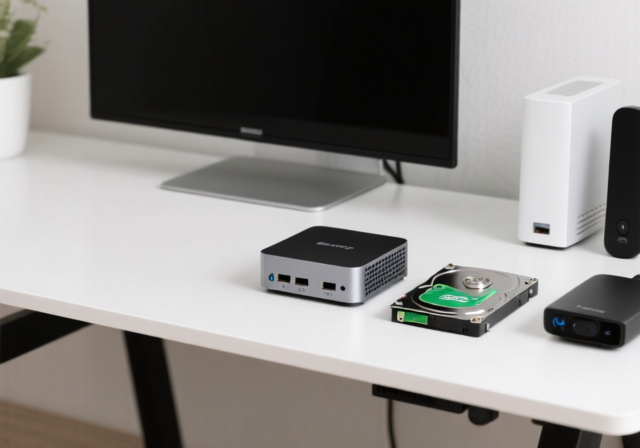
- Choose Your Hardware Wisely: You don't necessarily need a powerful, brand-new machine. An old desktop PC, a dedicated mini-PC, or a Network Attached Storage (NAS) device can all serve as excellent foundations. Consider a NAS for energy efficiency and dedicated storage.
- Prioritize Network Speed: For seamless 4K streaming, a robust wired (Gigabit Ethernet) network connection for your server and primary playback devices is highly recommended. Wi-Fi can work, but wired is always more reliable for high-bandwidth content.
- Ample Storage is Key: Media libraries grow quickly! Invest in sufficient storage space (multiple terabytes are common) and consider redundant storage solutions (like RAID on a NAS) to protect your precious data.
- Organize Your Media: Before you even install the software, develop a consistent folder structure for your movies, TV shows, music, and photos. This will make it much easier for the media server software to correctly identify and categorize your content.
- Test & Tweak: Don't expect perfection on day one. Experiment with settings, especially transcoding options, to find the optimal balance between quality and performance for your specific devices and network.
Conclusion
In a world of fragmented digital content, home media server software emerges as a powerful, elegant solution for unifying and enjoying your entire media library. It empowers you to take control of your entertainment, offering unparalleled convenience, organization, and accessibility across all your devices, whether you're at home or on the go. By centralizing your movies, TV shows, music, and photos, you not only declutter your digital life but also create a personalized, future-proof entertainment hub that truly unlocks the full potential of your home theater. Embrace the power of a personal media server and transform the way you consume content forever.